
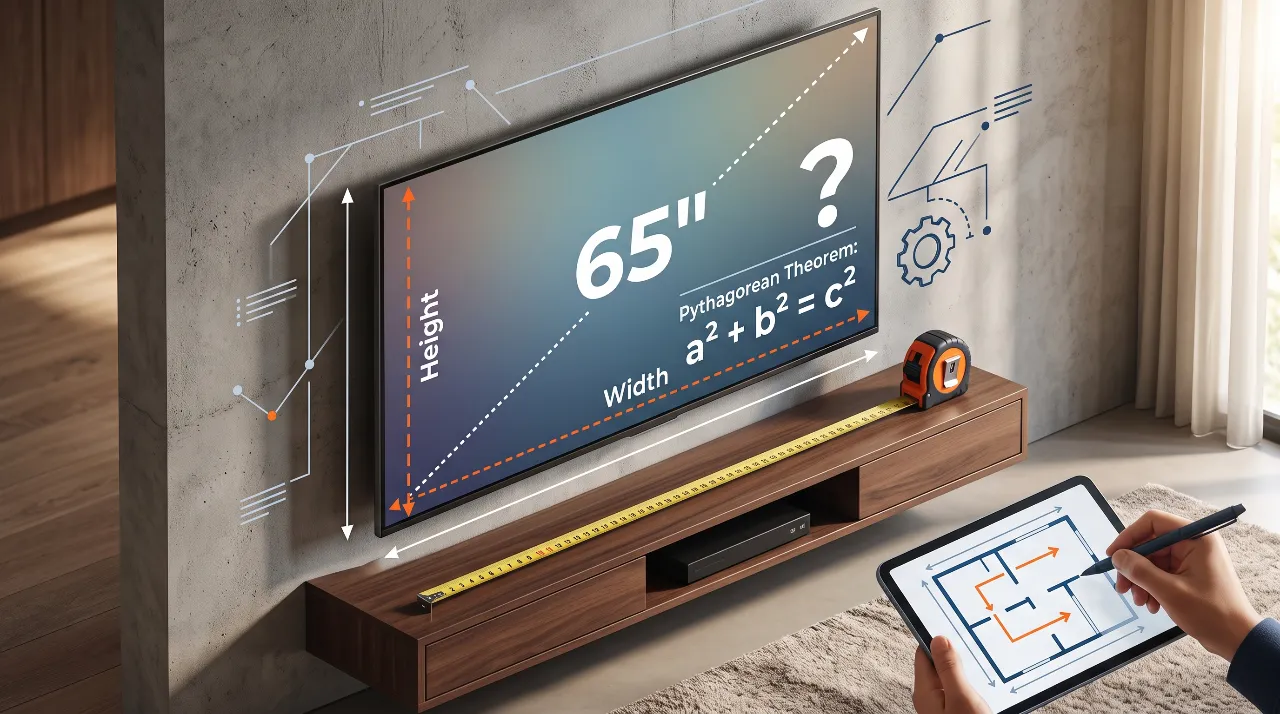
If you’re shopping for a new TV during Black Friday or moving into a new home, you’ve likely faced this frustrating issue: manufacturers proudly market screens as “65-inch” or “75-inch,” but they rarely make the actual width and height obvious on the main product banner. You’re left staring at your living room wall or media console, wondering if that dream display will fit without hanging over the edge or blocking nearby outlets.
Why do brands measure TVs diagonally, and how can you figure out the exact dimensions before clicking “Buy”?
The Geometry Behind It: Turning Diagonal Inches into Physical Dimensions
The diagonal measurement system is a holdover from the early days of cathode-ray tube (CRT) monitors. Measuring screen real estate diagonally allowed manufacturers to represent overall size with a single number.
To convert that single diagonal number into precise physical width and height, you only need basic right-triangle geometry: The Pythagorean Theorem ($a^2 + b^2 = c^2$) paired with your screen’s aspect ratio.
+-----------------------------------+
| \                                 |
|   \                               |  Height (h)
|     \  Diagonal (d)               |
|       \                           |
+-----------------------------------+
             Width (w)
Modern TVs use a standardized 16:9 aspect ratio. This means for every 16 units of width ($w$), there are 9 units of height ($h$).
Quick Math Breakdown
- Let $w = 16x$ and $h = 9x$, where $x$ is a scaling factor.
- Substitute these into the Pythagorean Theorem using diagonal $d$:$$(16x)^2 + (9x)^2 = d^2$$$$256x^2 + 81x^2 = d^2$$$$337x^2 = d^2 \implies x = \frac{d}{\sqrt{337}} \approx \frac{d}{18.3576}$$
- Once you have $x$, compute your dimensions:
- Width ($w$): $16 \times x \approx 0.8715 \times d$
- Height ($h$): $9 \times x \approx 0.4903 \times d$
Key Takeaway: Multiply the diagonal size by 0.8715 for estimated screen width, and by 0.4903 for estimated screen height. (Note: Add 0.5–1.5 inches to account for the physical bezel/frame).
Interactive Tool Placeholder
TV Screen Size & Dimension Calculator
Select your desired screen size and aspect ratio to view exact physical dimensions.
Popular TV Dimensions Reference Table (16:9 Ratio)
Use this quick-reference cheat sheet for standard display sizes. Values represent screen dimensions rounded to the nearest decimal point (excluding bezel width).
| Diagonal Size | Screen Width (Inches) | Screen Height (Inches) | Screen Width (cm) | Screen Height (cm) |
| 55″ | 47.9″ | 27.0″ | 121.8 cm | 68.5 cm |
| 65″ | 56.6″ | 31.9″ | 143.8 cm | 80.9 cm |
| 75″ | 65.4″ | 36.8″ | 166.0 cm | 93.4 cm |
| 85″ | 74.1″ | 41.7″ | 188.2 cm | 105.9 cm |
Step-by-Step Troubleshooting: Planning Your Space Perfectly
Step 1: Account for the Bezel and Stand Clearance
The Pythagorean calculation gives you the active display area. Modern bezels are thin (0.25 to 0.75 inches), but built-in legs or soundbar stands can add significant total height and depth. Always add at least 1 to 2 inches (2.5–5 cm) to your total clearance calculations.
Step 2: Verify Viewing Distance vs. Wall Proportions
A screen that fits physically might still overwhelm a room visually. A good rule of thumb for 4K TVs is to multiply screen size by 1.2 to get the optimal viewing distance in inches:
- 65″ TV: ~78 inches (~6.5 feet / 2.0 m) away.
- 75″ TV: ~90 inches (~7.5 feet / 2.3 m) away.
Step 3: Mock It Up with Painter’s Tape
Before finalizing your purchase, outline the total calculated width and height on your wall using low-tack painter’s tape. Sit on your sofa and evaluate the sightlines, light reflections from nearby windows, and distance to adjacent furniture.
Choosing the Right Display for Your Living Space
Selecting the optimal TV screen isn’t just about maximizing screen real estate—it’s about balancing geometric proportions with room architecture. By using simple aspect ratio formulas rather than relying strictly on diagonal marketing numbers, you can confidently integrate high-end displays into built-in cabinetry, floating wall mounts, and custom interior layouts without unexpected clearance issues.
To explore more practical mathematical guides designed for makers and creators, visit our [Gear & Logic: Applied Physics and Mathematics] hub, or browse our suite of web simulators in [Interactive Tools: Live Science & Engineering Calculators].