
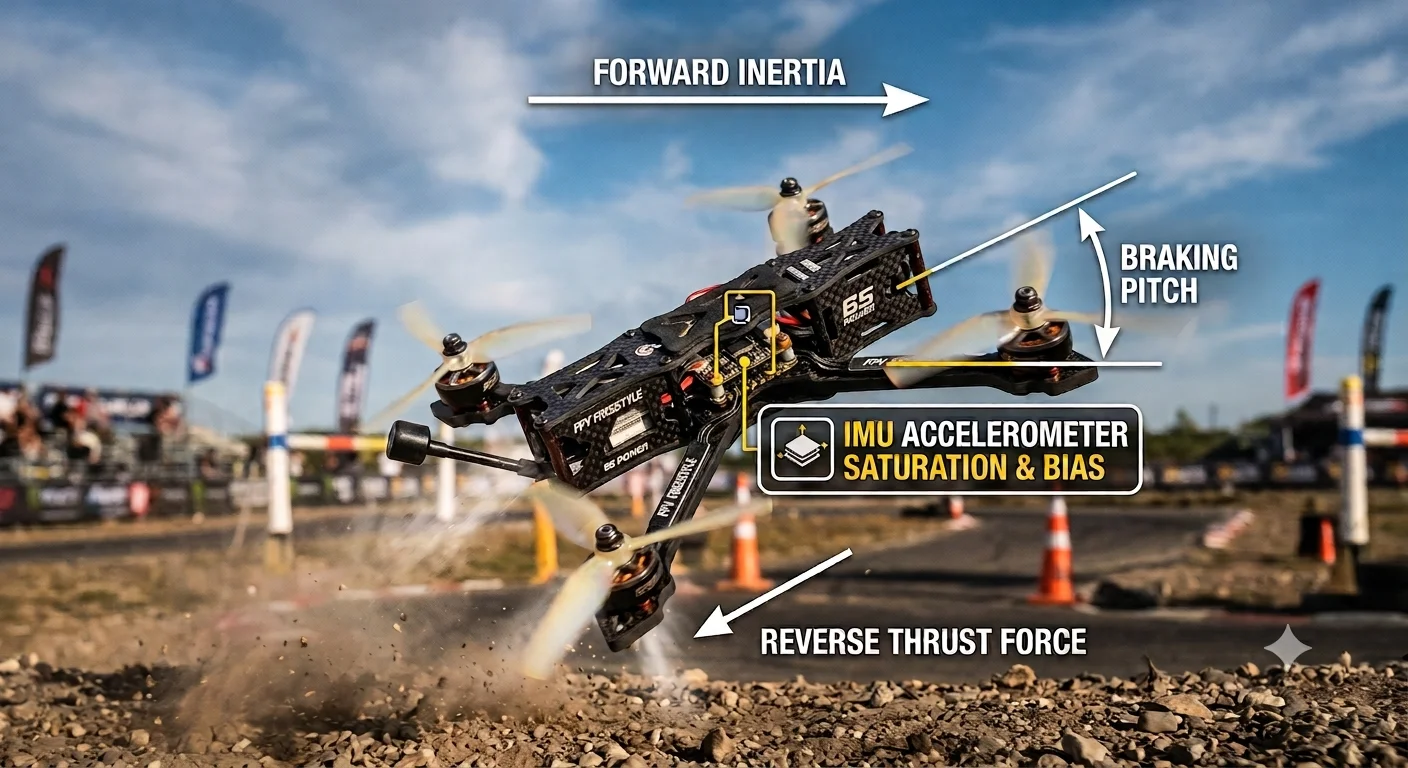
You execute a sharp, high-speed pitch back to snap to a dead halt, but instead of locking in place, your quad washes out, floating an extra meter into a branch. If you are tired of chasing phantom drift in Betaflight that blackbox logs swear isn’t a mechanical issue, you are dealing with the messy intersection of Newtonian physics and micro-electromechanical systems (MEMS) sensor limitations.
The Physics Behind It: Angular Momentum and Sensor Saturation
When a drone decelerates rapidly, it does not just fight air resistance; it battles rotational inertia (). As you pitch back, the motor thrust vectors must instantaneously counter the kinetic energy of the frame.
[Linear Momentum (p = mv)]  --->
          \_________/  (Drone Frame)
             /   \
   [Thrust Vector] <-- Fights Inertia but causes Aerodynamic Washout
This sudden deceleration triggers two compounding issues:
- Aerodynamic Washout (Prop Wash): During hard braking, the propellors descend into their own turbulent wake (vortex ring state), drastically reducing dynamic thrust predictability.
- IMU Accelerometer Bias & Cross-Axis Coupling: The InvenSense or Bosch IMU chip on your flight controller relies on microscopic proof masses. During high-G deceleration, these tiny structures flex. This physical distortion introduces accelerometer bias (). Because the flight controller’s Kalman filter cannot instantly differentiate between actual linear deceleration and sensor tilt error, it miscalculates the gravity vector, leading to that annoying post-braking slide.
Interactive Tool Placeholder
Drone Braking Dynamics
Real-time physical flight animation & IMU load visualizer
Step-by-Step Troubleshooting: Locking In Your Braking
1. Optimize Dynamic Idle and D-Term Damping
Standard PIDs cannot compensate for sensor delay during high-G stops. Raise your D-term on the pitch axis by 15-20% to predictively counter the inertial overshoot. Simultaneously, increase your Dynamic Idle (e.g., to 3500-4000 RPM) to keep the motors spinning fast enough to generate control torque even when throttle drops to zero during a hard tilt back.
2. Calibrate Anti-Gravity and Feedforward
Betaflight's Anti-Gravity feature boosts I-term gain temporarily when the throttle changes rapidly.
- Raise the Anti-Gravity Gain to 3.5x or 4.0x.
- Increase Feedforward on the pitch axis. This injects raw stick movement directly into the motor mixers, bypassing the IMU-reliant PID loop for the first crucial milliseconds of the brake command.
3. Mechanical Vibration Isolation
Accelerometer bias scales exponentially with high-frequency noise. Swap out worn-out TPU motor mounts, ensure your flight controller gummies are not over-tightened, and shift your Gyro RPM filters closer to the center frequencies of your motor noise profile to clean up the data entering the IMU.
Take Control of Your Tune
Fixing braking drift transforms sloppy acrobatics into razor-sharp lines. Bookmark this guide for your next bench tuning session, and share it with your local racing or freestyle crew who are still blaming their thumbs for IMU limitations.
To explore more physics-driven hardware tuning guides, check out our [Gear & Logic: Applied Physics and Mathematics] hub, or test your setup with more calculators in [Interactive Tools: Live Science & Engineering Calculators].