
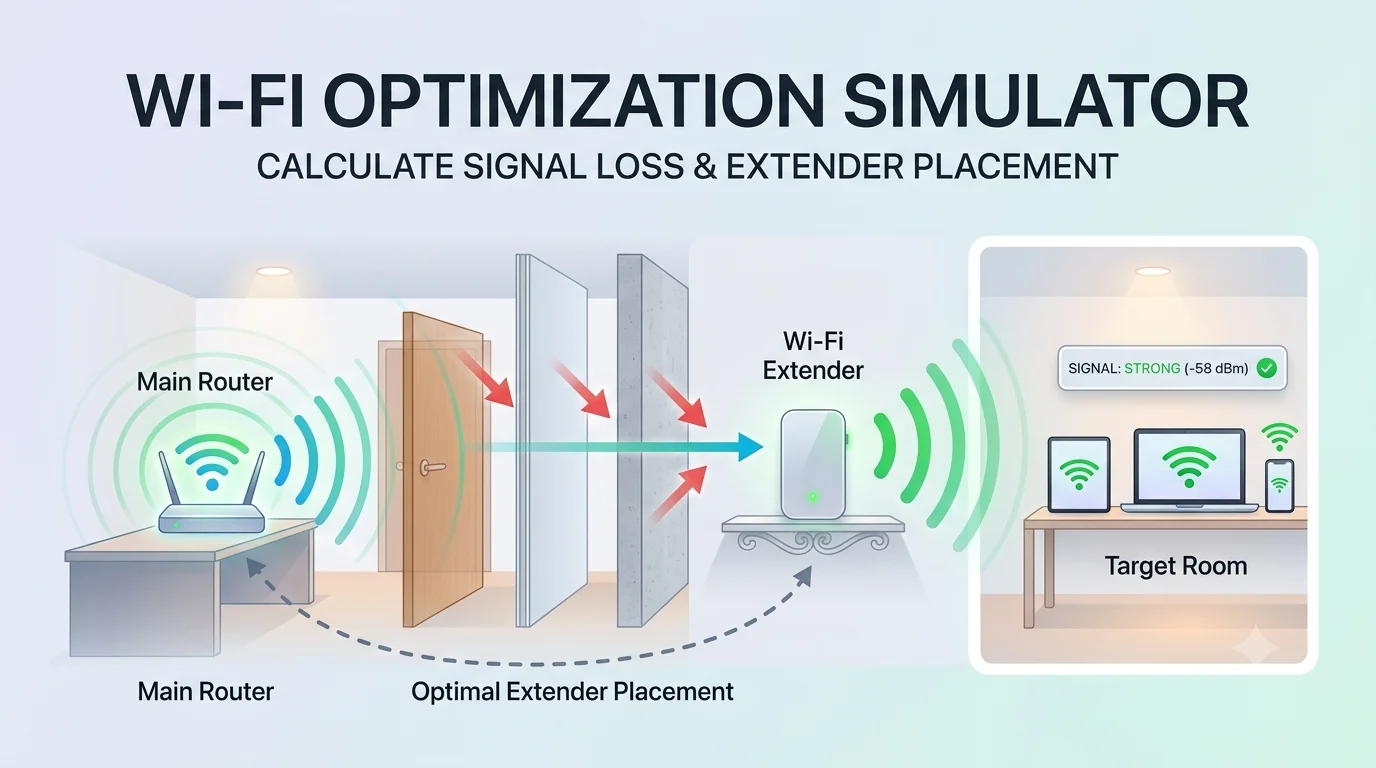
Wi-Fi Optimization Simulator
Calculate signal attenuation & optimal extender location
Target Room Distance
10 m
Frequency Band
Obstacle Material
Number of Walls/Doors
2
Coverage & Extender Map
Router ➔ Extender ➔ Room
Router
Extender
Room
Estimated Signal
-65 dBm
Good Signal
Optimal Extender Location
5.0 m
From Main Router
Key Features
- Real-time Signal Modeling: Uses Free Space Path Loss (FSPL) and logarithmic obstacle attenuation models to compute dynamic RSSI values (dBm).
- Interactive Visual Map: Dynamically shifts the range bar, displays wall obstacles, and automatically slides the Wi-Fi Extender icon to its recommended sweet spot based on input values.
How to Use
- Set Target Room Distance: Adjust the top slider to match the physical distance between your main router and the target area.
- Select Band & Obstacles: Choose between 2.4 GHz (longer range, higher wall penetration) or 5 GHz (faster speed, weaker wall penetration), then choose the material and quantity of intervening walls/doors.
- Review Optimal Placement: Check the Optimal Extender Location card to find the exact recommended placement distance from your main router for maximum throughput and stability.